Orders+ Add Order
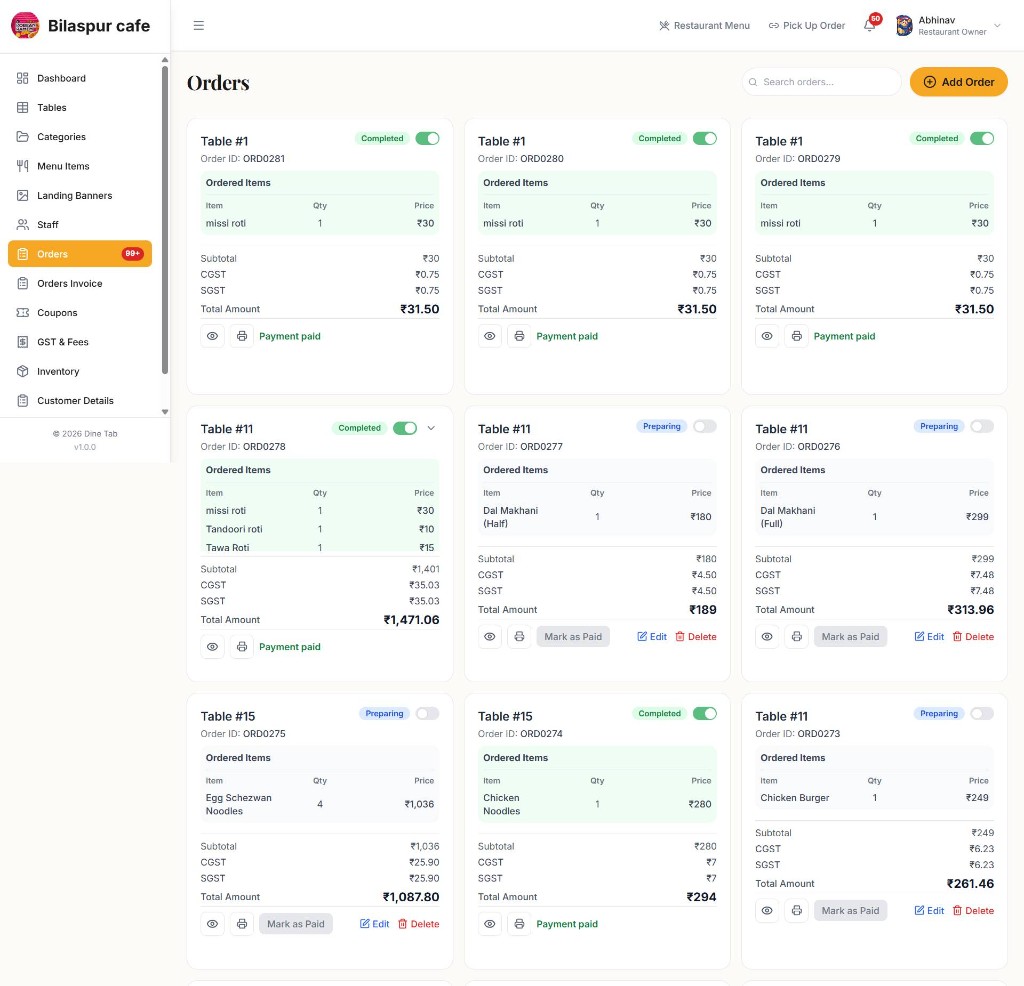
Orders Cards with Preparing & Completed Status
Table # cards show order ID, item/qty/price lines, subtotal, CGST & SGST, total, View/Print, Payment paid or Mark as Paid, plus Edit and Delete when unpaid.


Hello There!
We specialize in innovative software solutions that transform ideas into digital realities.


One owner console for Dashboard, Tables, Categories, Menu Items, Landing Banners, Staff, Orders, Coupons, GST & Fees, Inventory, and Customer Details — plus Restaurant Menu and Pick Up Order shortcuts.
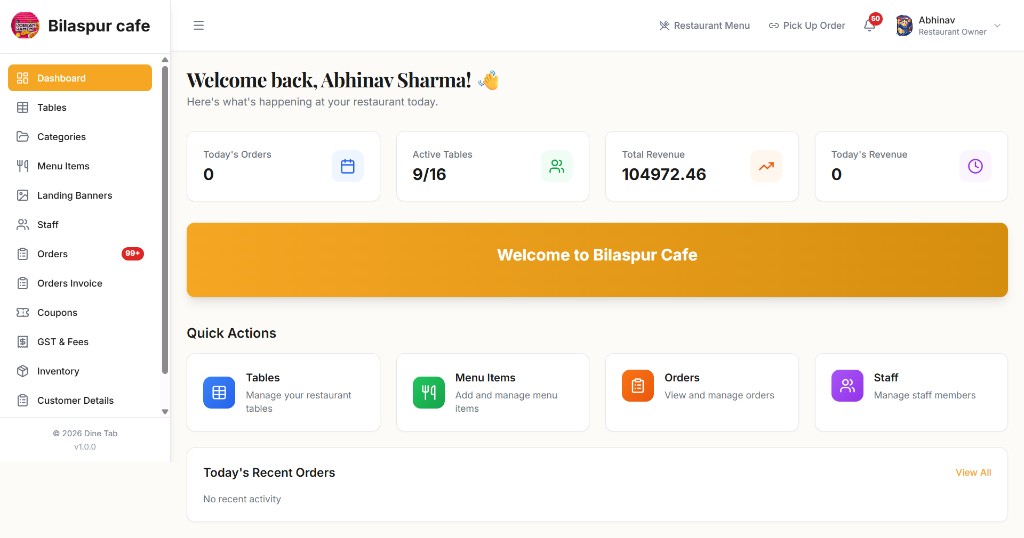
Your restaurant dashboard surfaces today’s orders, active tables, and revenue in one view — so owners can act fast without leaving the console.
Track every dine-in and pick-up order placed since opening
Occupied tables versus total floor capacity at a glance
Lifetime revenue collected across completed restaurant orders
Day’s sales pulse updated as payments are marked paid
From table QR setup to live orders and payments — configure your restaurant console in minutes, with no proprietary hardware required.
Create each table with seating capacity and get a branded QR URL (e.g. yourcafe.dinecircuit.com/qr?table=1). Download or copy links for every table card.
Set up categories like Roti, Rice, Noodles, and Pasta, then add items with price, veg/non-veg type, quantity, and available status.
Diners scan the table QR, open the menu in-browser (no app), place items, and send orders straight to your restaurant operations flow.
Track Preparing vs Completed on the floor, print tickets, mark payments paid, and manage invoices, GST, coupons, and staff from one owner dashboard.
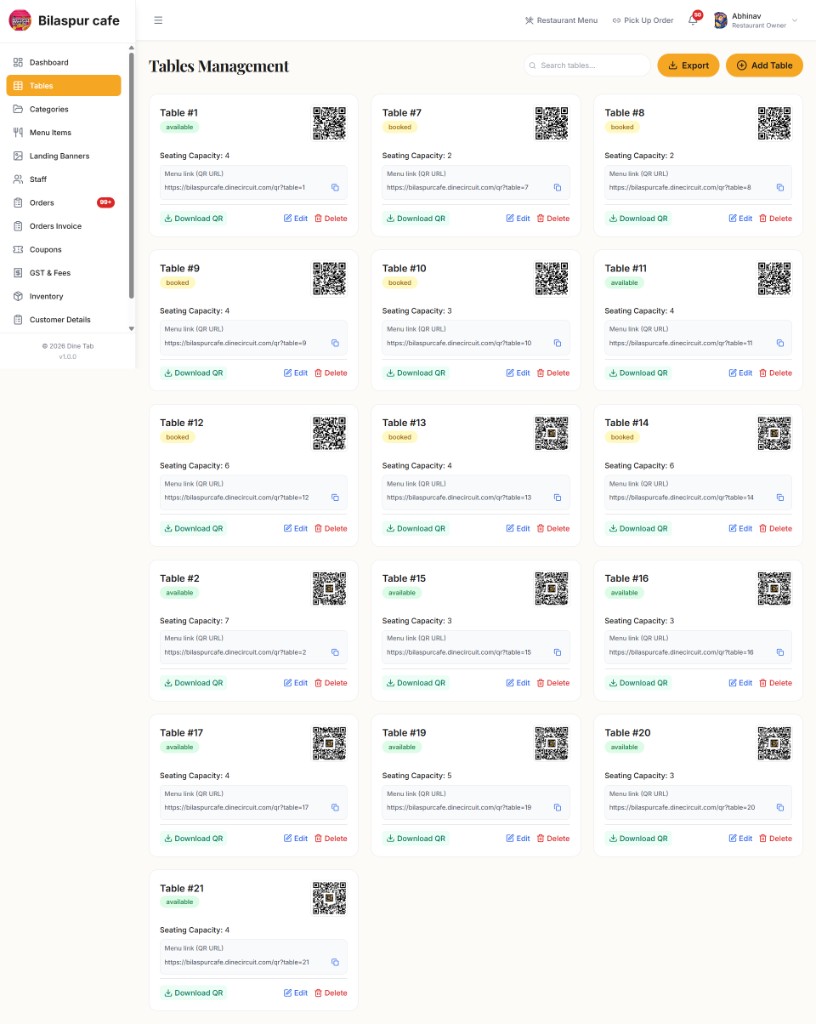
Search tables, export the list, and add new tables from the console. Each card shows available or booked status, seating capacity, a QR code, and a copyable guest link like yourcafe.dinecircuit.com/qr?table=1 — with Download QR, Edit, and Delete actions.
Create tables quickly, then export or search the full floor list
Available/booked badges, seating capacity, and per-table QR download
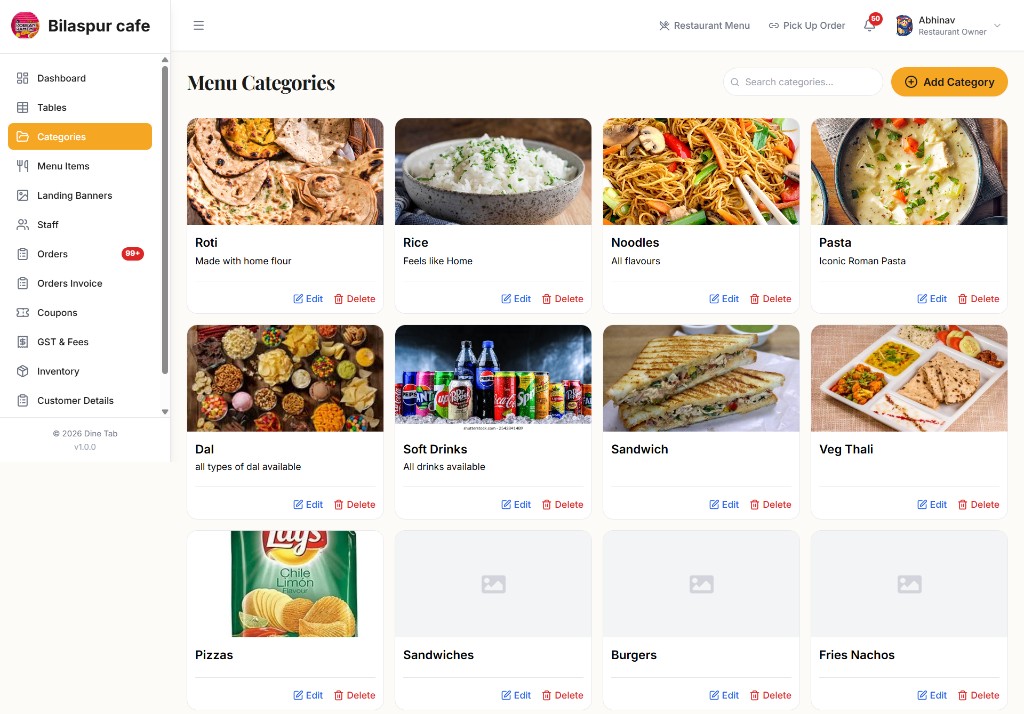
Build Menu Categories with search and + Add Category. Use visual cards for Roti, Rice, Noodles, Pasta, Dal, Soft Drinks, Sandwich, Veg Thali, and more — each with image, short description, Edit, and Delete.
Find categories fast and create new sections with one click.
Food photos and short descriptions keep the guest menu easy to browse.
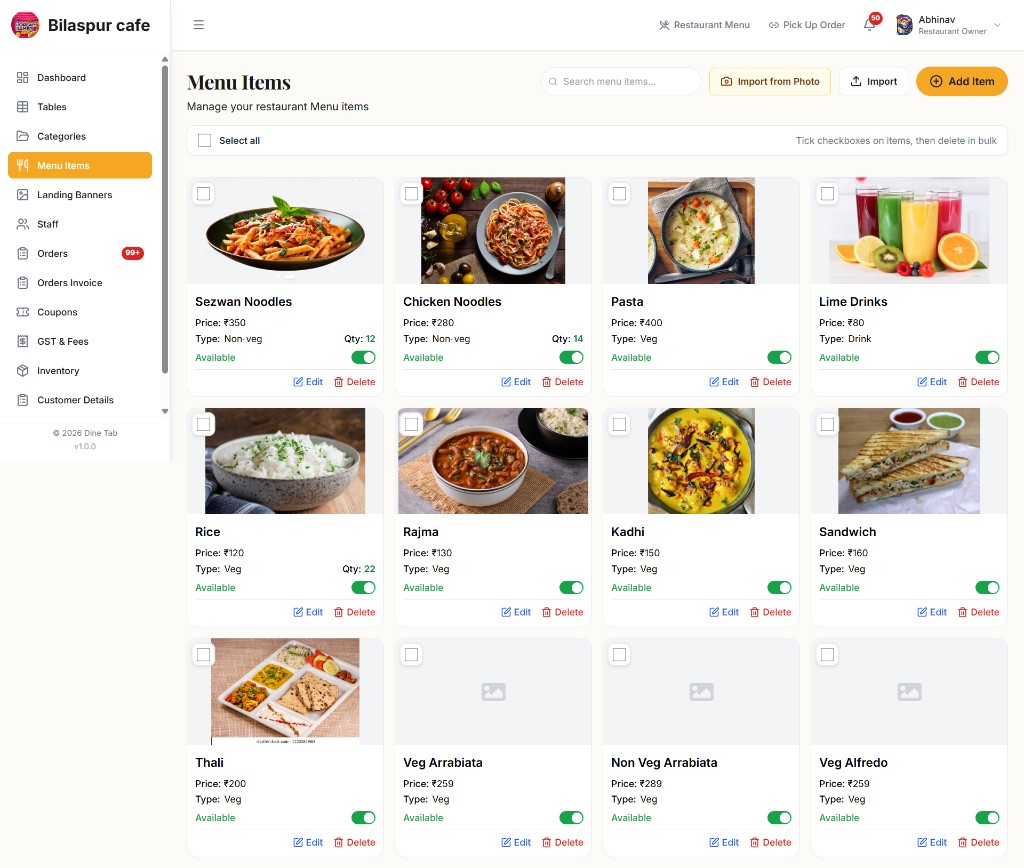
Manage your restaurant menu items with search, Import from Photo, Import, and Add Item. Each card shows name, price (₹), Veg / Non-veg / Drink type, optional qty, Available toggle, Edit, and Delete.
Flip items Available or off the menu the moment stock runs out.
Speed up menu setup with photo import, file import, and quick Add Item.
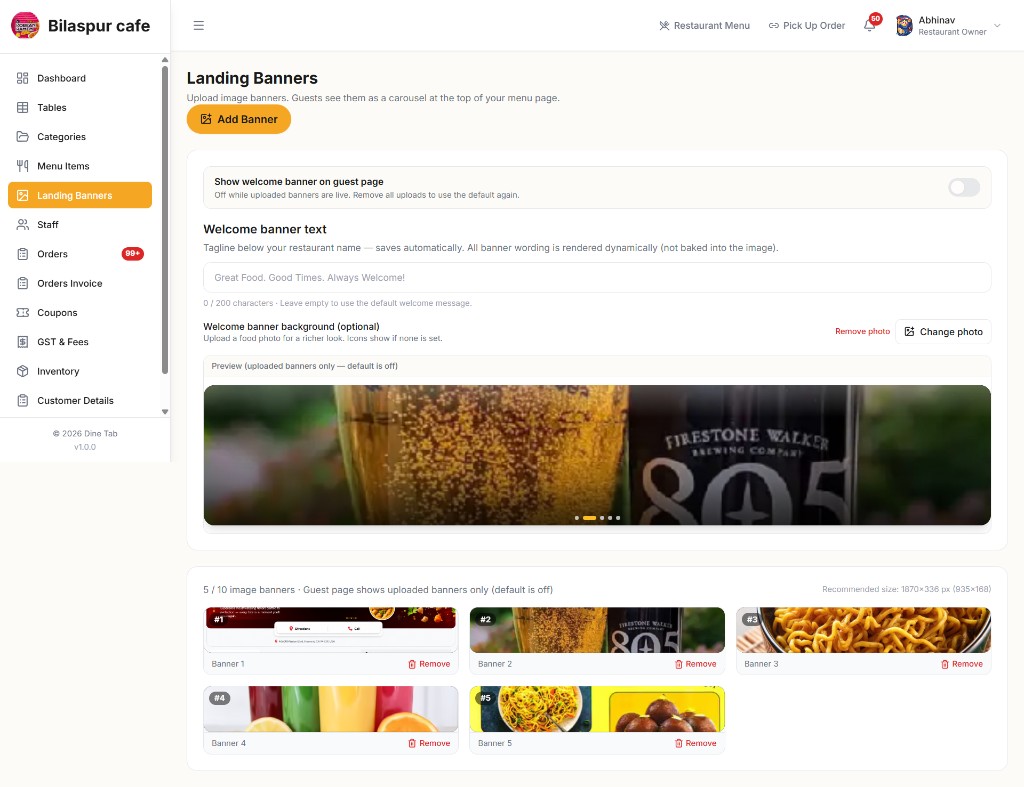
Toggle “Show welcome banner on guest page,” set welcome banner text (auto-save, up to 200 characters), upload an optional background photo, and manage image banners (recommended 1870×336). Guest page shows uploaded banners when the default is off.
Tagline under your restaurant name renders dynamically — leave empty to use the default message.
Add Banner, change or remove photos, and keep the guest carousel fresh.
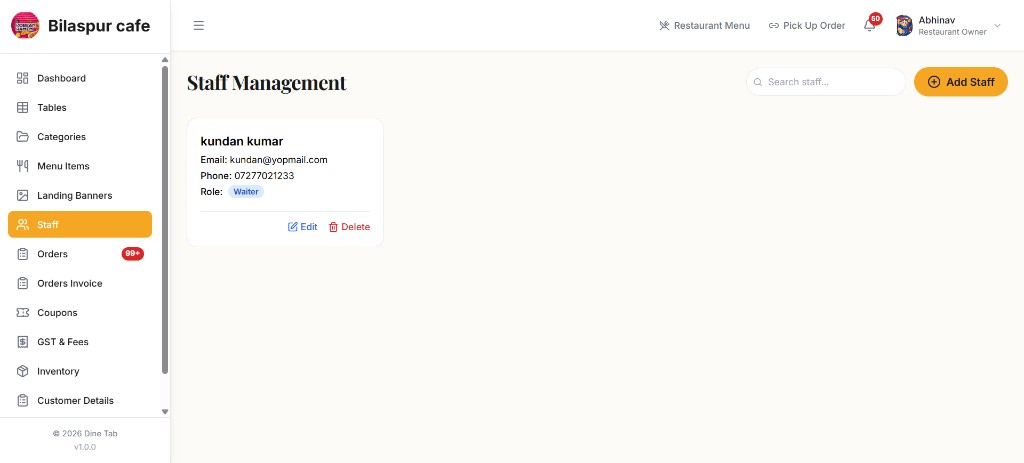
Search staff and use + Add Staff to grow your roster. Each card shows name, email, phone, and a role badge such as Waiter — with Edit and Delete actions for day-to-day team control.
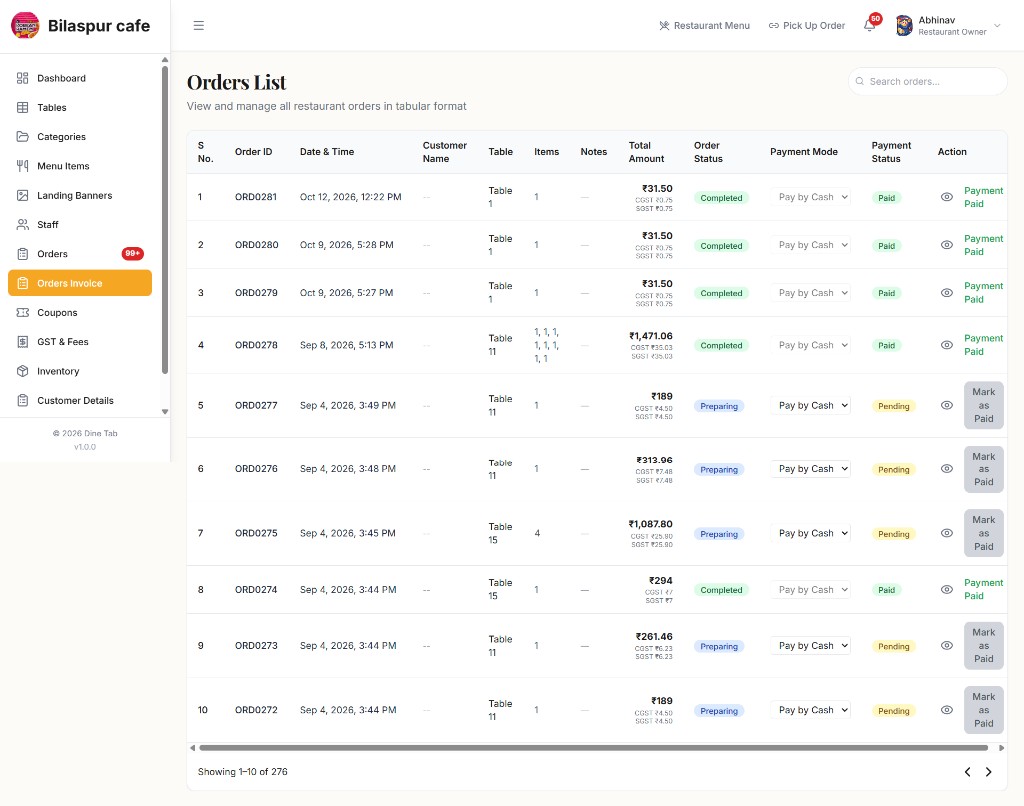
Use Orders for table-wise kitchen cards, then switch to Orders Invoice for the full searchable list with tax, payment mode, and paid/pending status.
Table # cards show order ID, item/qty/price lines, subtotal, CGST & SGST, total, View/Print, Payment paid or Mark as Paid, plus Edit and Delete when unpaid.
Tabular invoices with S No., Order ID, date & time, customer, table, items, notes, total amount (CGST/SGST), order status, Pay by Cash mode, payment status, View, and Mark as Paid.
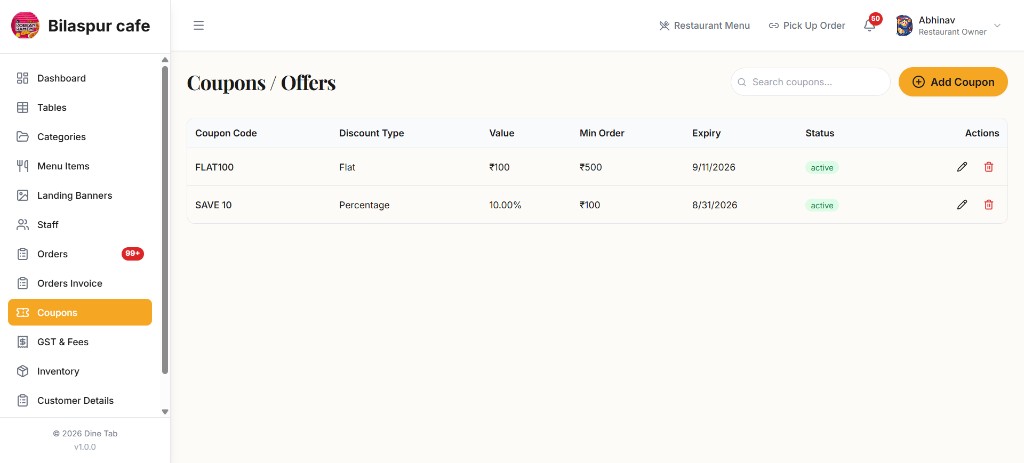
Search coupons and use + Add Coupon to create offers. The table covers Coupon Code, Discount Type, Value, Min Order, Expiry, Status, and Actions — for example FLAT100 (Flat ₹100, min ₹500) and SAVE 10 (10%, min ₹100).
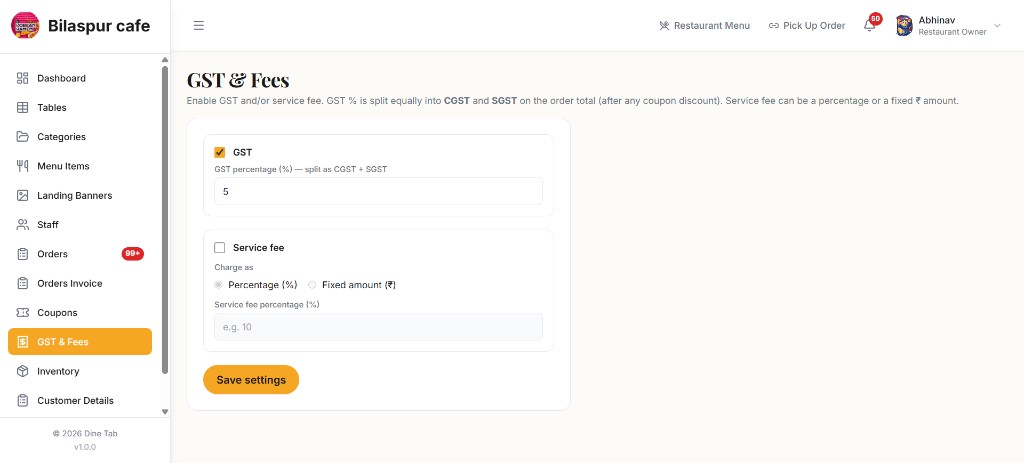
Enable GST and/or service fee. GST % is split equally into CGST and SGST on the order total (after any coupon discount). Service fee can be a percentage or a fixed ₹ amount — then Save settings.
Checkbox + GST percentage field (e.g. 5%) split as CGST + SGST
Optional fee charged as Percentage (%) or Fixed amount (₹)
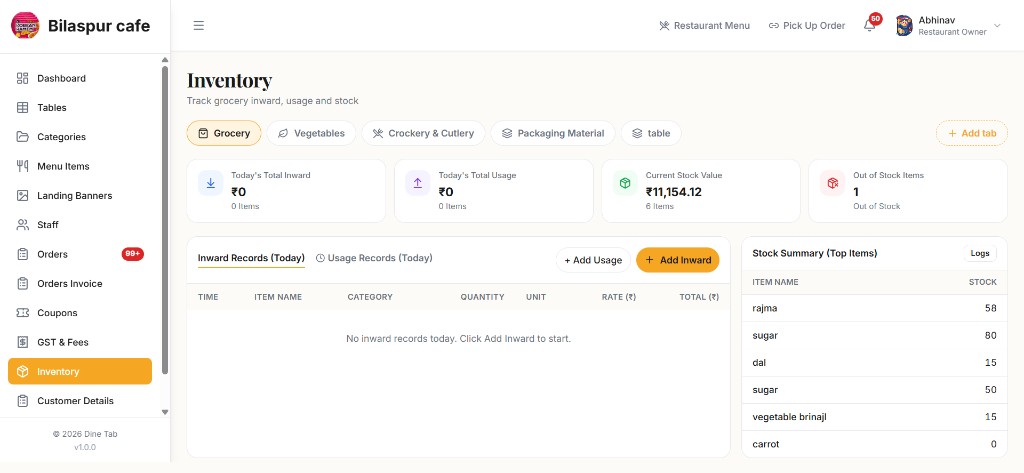
Track grocery inward, usage and stock with category tabs (Grocery, Vegetables, Crockery & Cutlery, Packaging Material, and more). Monitor today’s inward/usage, current stock value, out-of-stock items, then Add Usage or Add Inward.
Log TIME, ITEM NAME, CATEGORY, QUANTITY, UNIT, RATE (₹), and TOTAL (₹).
Watch live counts for items like rajma, sugar, and dal — including zero stock alerts.
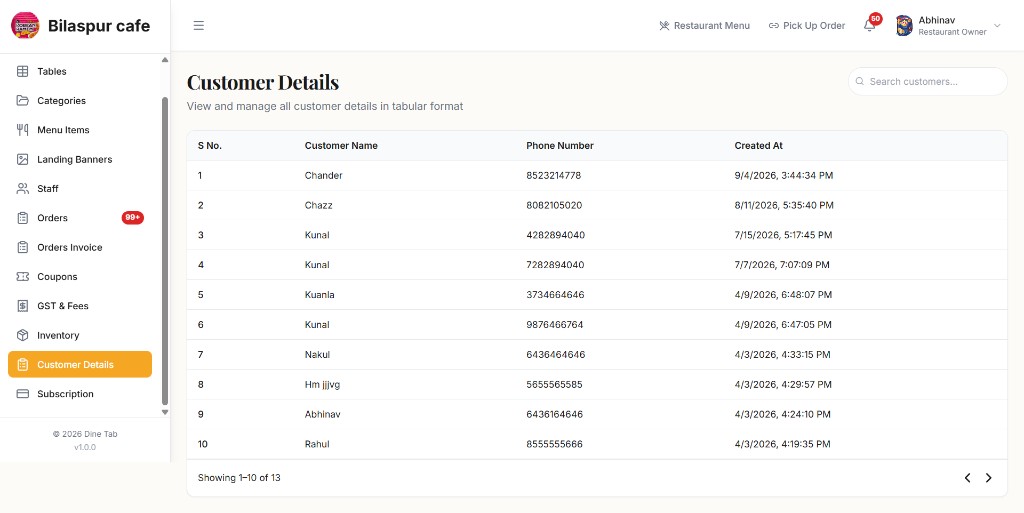
View and manage all customer details in tabular format. Search customers, then review S No., Customer Name, Phone Number, and Created At — with pagination for larger guest lists.
Find guests quickly from the Search customers… bar.
See when each guest record was added for follow-up and repeat visits.
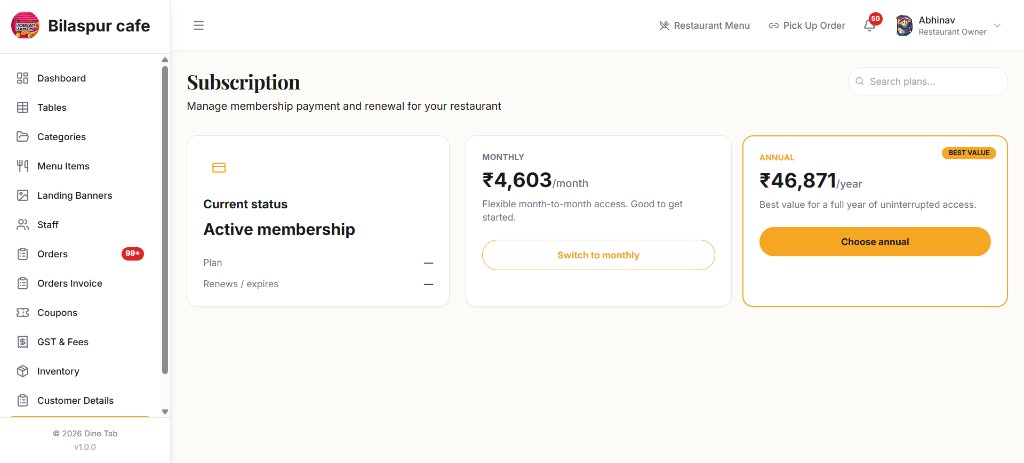
See Current status: Active membership, then choose Monthly (₹4,603/month — Switch to monthly) or Annual (₹46,871/year — Choose annual) with the BEST VALUE highlight for uninterrupted yearly access.
Active membership with plan and renews/expires fields in one place.
Flexible month-to-month access or best-value annual billing from Search plans…
A full owner console — Dashboard through Customer Details — without heavy terminals or forced guest apps.
| Capability | Traditional POS / Paper | DineCircuit Owner Console |
|---|---|---|
| Guest Ordering | Waiter pads or forced app download | Table QR opens menu in-browser — no app |
| Floor Control | Scattered sheets for tables and tickets | Tables, Orders, and Orders Invoice in one sidebar |
| Menu Updates | Reprint menus or edit on each device | Categories + Menu Items with Available toggles |
| Tax & Offers | Manual GST math and paper coupons | GST & Fees (CGST/SGST) + Coupons / Offers table |
| Stock & Guests | Separate inventory and CRM tools | Inventory + Customer Details built into the console |
| Team Access | Shared logins with no role clarity | Staff Management with roles like Waiter |
No. Guests scan the table QR from Tables Management and order in the mobile browser. The Restaurant Menu and Pick Up Order shortcuts are also available from the owner header.
From table QR codes to orders, GST, inventory, and customer records — DineCircuit keeps Bilaspur-cafe-style operations in one place.